

Budget & bidding
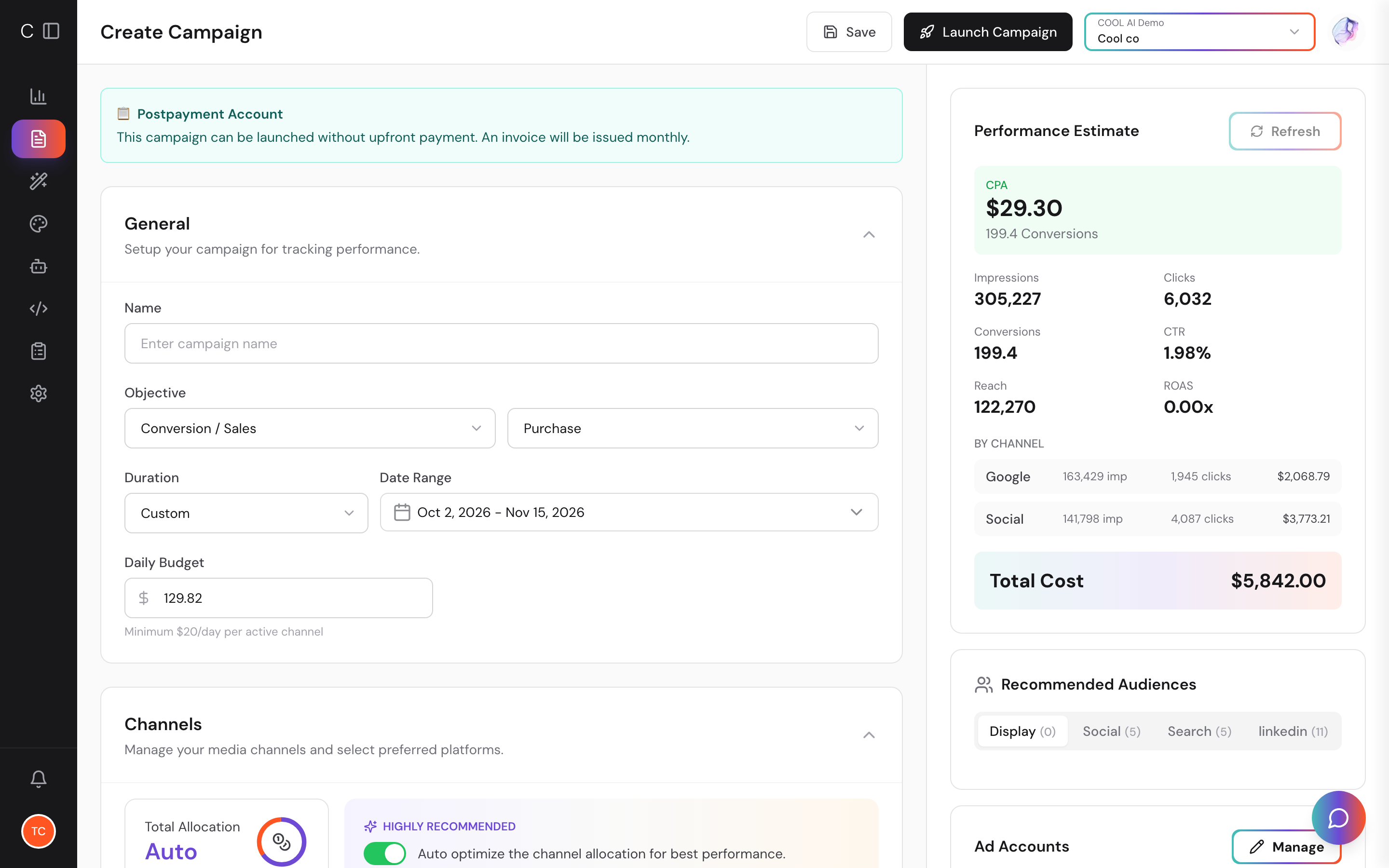
Set your daily and total budget, choose a bid strategy, and see cost estimates before you launch.
Decide how much to spend and how COOLAI should bid. COOLAI recommends a budget based on your
objective and audience, and updates the cost and reach estimate as you adjust, so you can find the
right level before anything goes live.
Before you beginOpen a campaign and go to its Budget section.
Set your budget
Enter a daily and/or total budget. For a multi-channel campaign, split the budget across
Display, Search, and Social so each channel gets its share.
Choose a bid strategy
Pick how COOLAI bids on your behalf. The right choice follows your objective:
- Maximize conversions: get as many conversions as the budget allows.
- Target CPA: aim for a specific cost per acquisition.
- Target ROAS: aim for a specific return on ad spend.
If you're unsure, start with maximize conversions and switch to a target once you have data.
Review the estimate
As you change the budget, COOLAI updates projected reach and cost so you can balance spend
against expected results before launching.
TipGive the campaign a few days at a stable budget before judging it. Early numbers are noisy
while the platforms' delivery ramps up and re-optimizes, and big budget swings reset that learning.
What's next
Updated about 2 months ago