

Configuring conversion events
Choose which actions count as conversions (purchases, leads, sign-ups) and start measuring them.
A conversion event is an action that matters to your business: a purchase, a lead form
submission, an add-to-cart, a sign-up. Telling COOLAI which events count lets it measure
results accurately and optimize delivery toward real outcomes, not just clicks.
Before you beginInstall and verify your pixel first. Conversion events rely on it. See
Set up pixel tracking.
Steps
- From Pixel Tracking (or during campaign launch), open conversion setup.
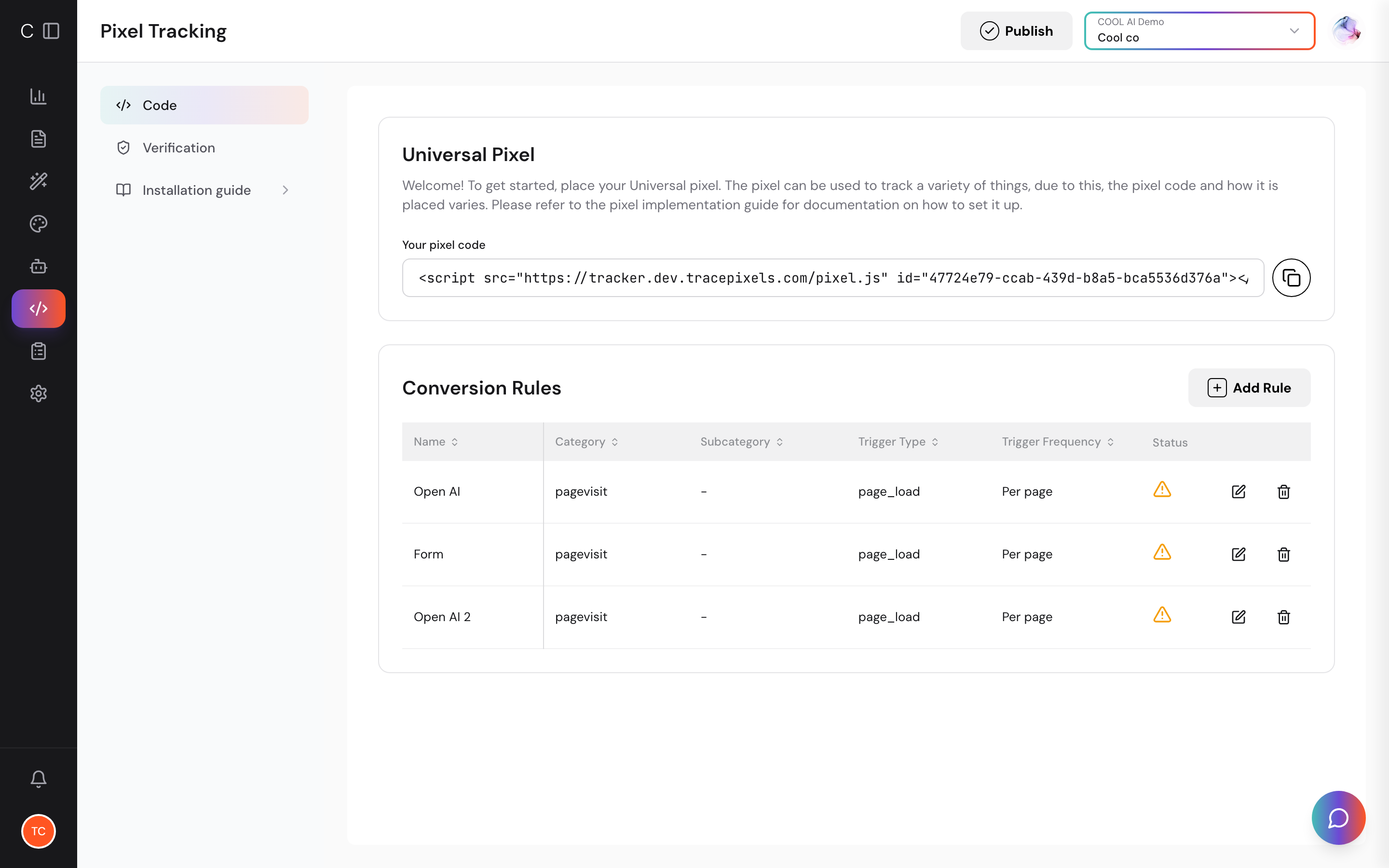
- Select the events to track, for example Purchase, Lead, Add to Cart, or
Sign up. - For each event, confirm how it's triggered: a page view (e.g. a "thank you" page), a
button click, or a custom event your pixel sends. - Save. COOLAI starts counting these events and attributing them to your campaigns and
creatives, so they show up in Analytics and feed
attribution.
TipTrack one primary conversion (the one tied to revenue or your main goal) plus one or two
upper-funnel events. Tracking too many actions makes optimization noisy and harder to read.
Watch outNew events only count actions that happen after you set them up. They aren't retroactive.
Give it some traffic before expecting numbers.
What's next
Updated about 2 months ago