

Companies & brands
One company can manage many brands. Add, edit, and switch between them.
COOLAI organizes work in two levels. Your company is the top-level account. Within it you
manage one or more brands, and each brand has its own brand kit, creatives, and campaigns.
This keeps each brand's work separated, which helps agencies and multi-brand businesses.
Before you beginYou must be an Admin or Super Admin to add or edit companies and brands.
Switch brands
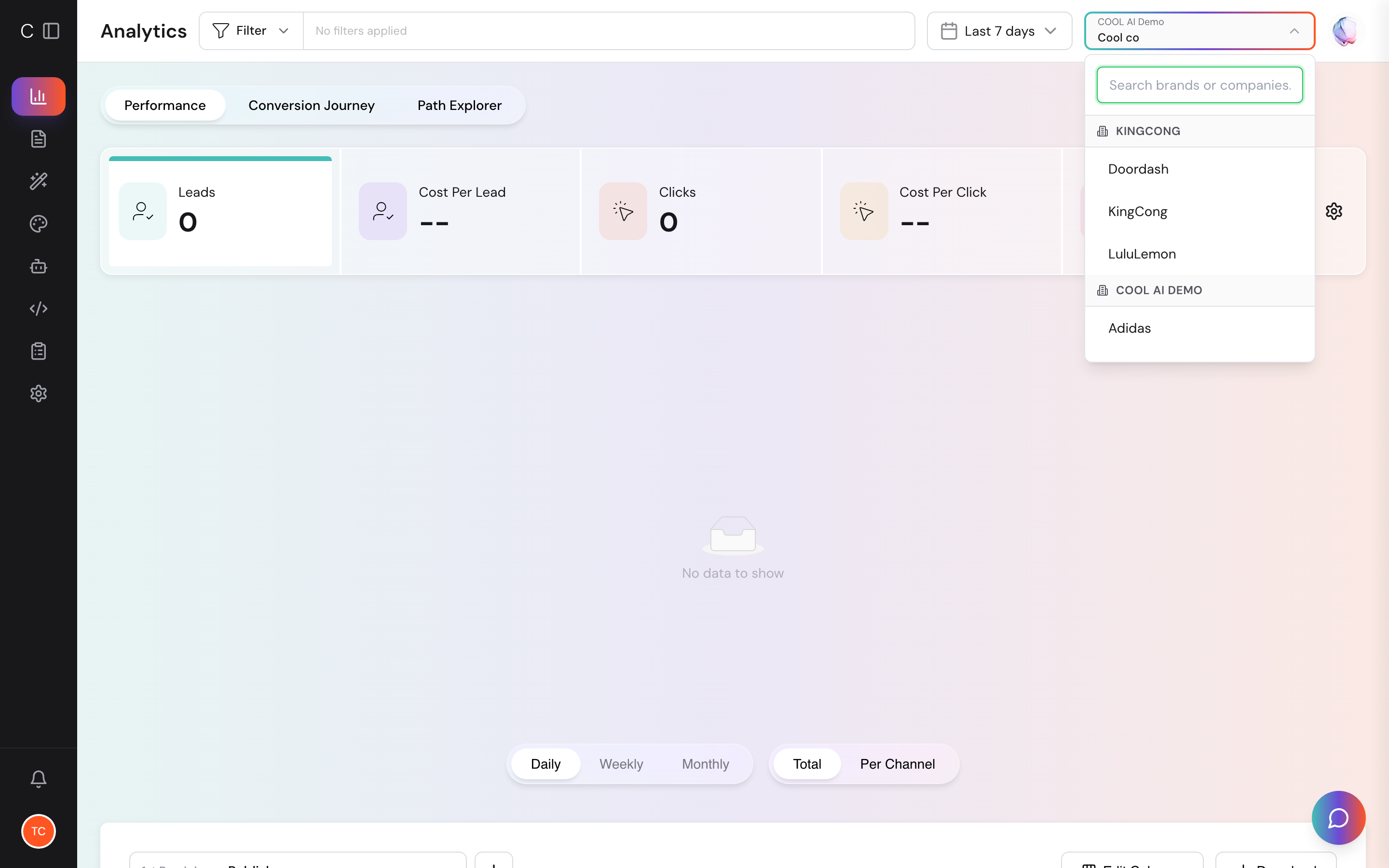
Use the brand selector in the top bar to choose which brand you're working on. Creatives,
Campaigns, and Analytics then reflect the selected brand. If a page looks empty or shows the wrong
data, check the brand selector first.
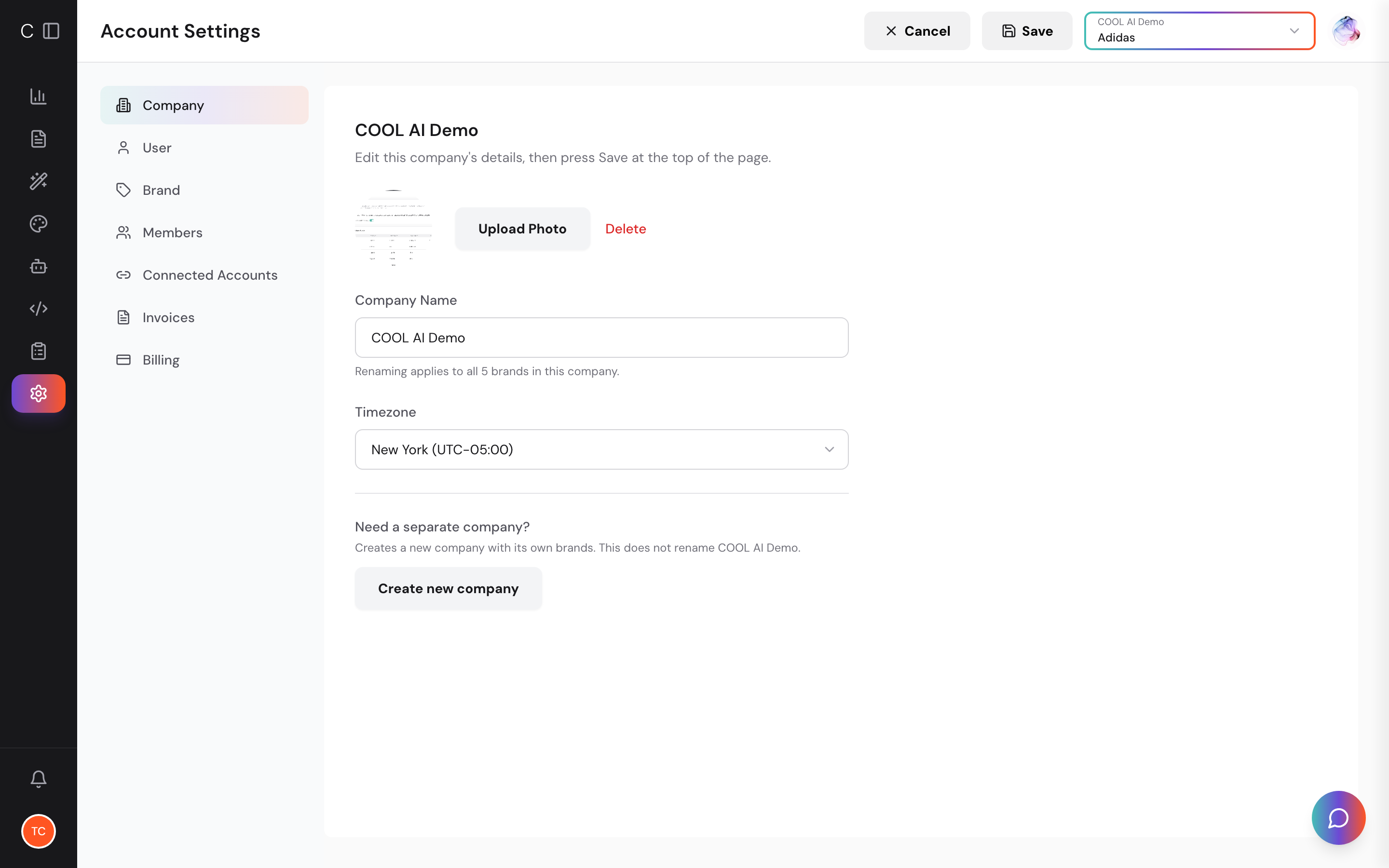
Manage your company
In Settings ▸ Company you can edit the company name, timezone, currency, and logo. You can
also create an additional company if you need to separate work (for example, a holding company
with distinct business units).
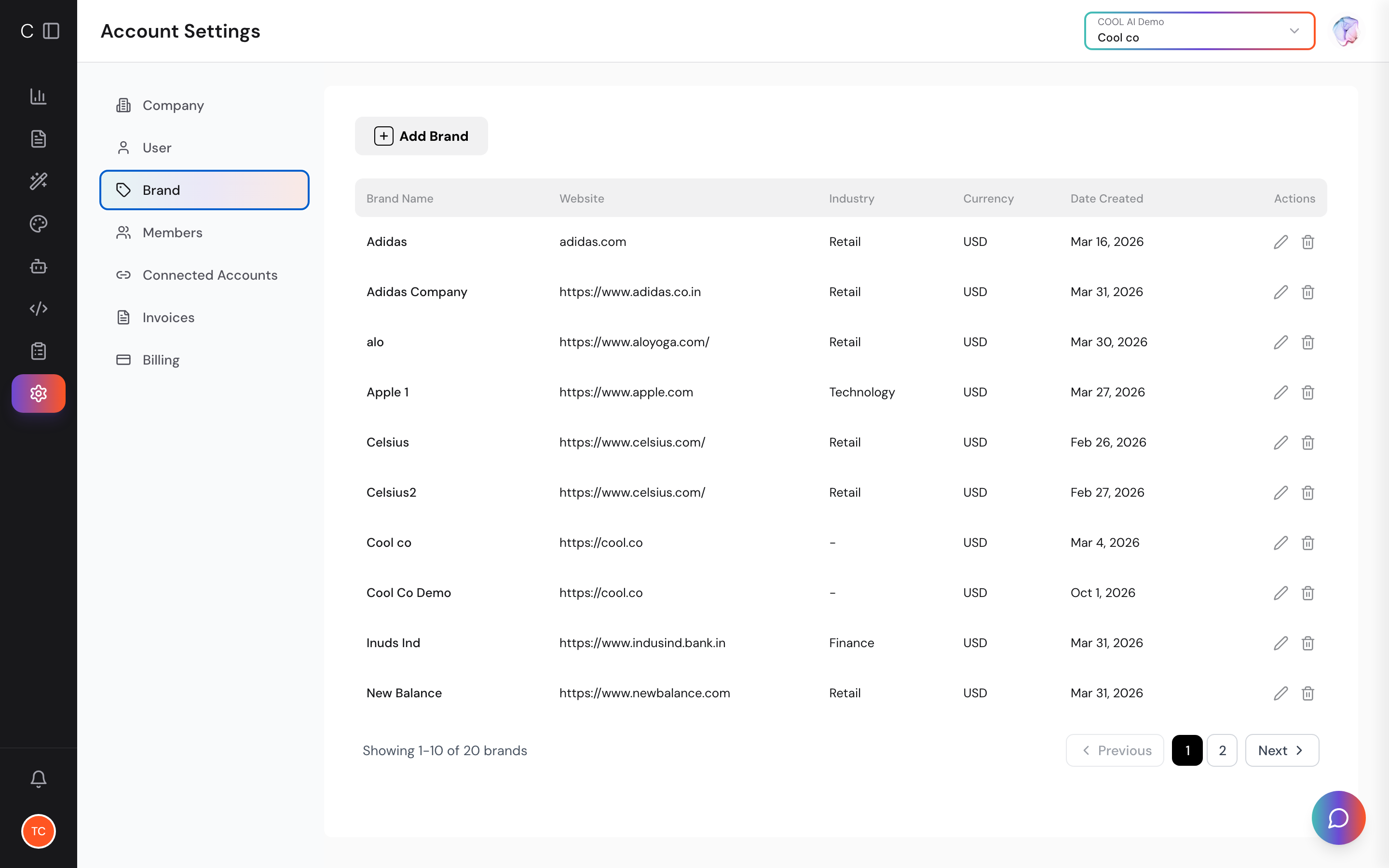
Manage brands
In Settings ▸ Brands you can add a brand, edit its details, or remove one. Adding a brand
starts a website scan that builds its brand kit. See Build your brand kit.
TipGive each brand its real website when you add it. The scan uses it to pull the logo, colors,
fonts, and products, so the brand kit and every creative start out accurate.
What's next
Updated about 2 months ago