

Generating a creative set
Turn a short brief into a full set of on-brand ads across Display, Search, and Social.
A creative set is a batch of ads COOLAI generates for a single brief, across channels and sizes,
using your brand kit. You can start one in three ways. Click New Campaign and choose the
option that fits how much you want to specify up front.
Before you beginYou need a completed brand kit. It helps to know your campaign basics first:
objective, audience, and the channels you want (Display, Search, Social).
Option A: Chat with Chip (recommended)
- Open AI Assistant from the sidebar and tell Chip you want to build a campaign.
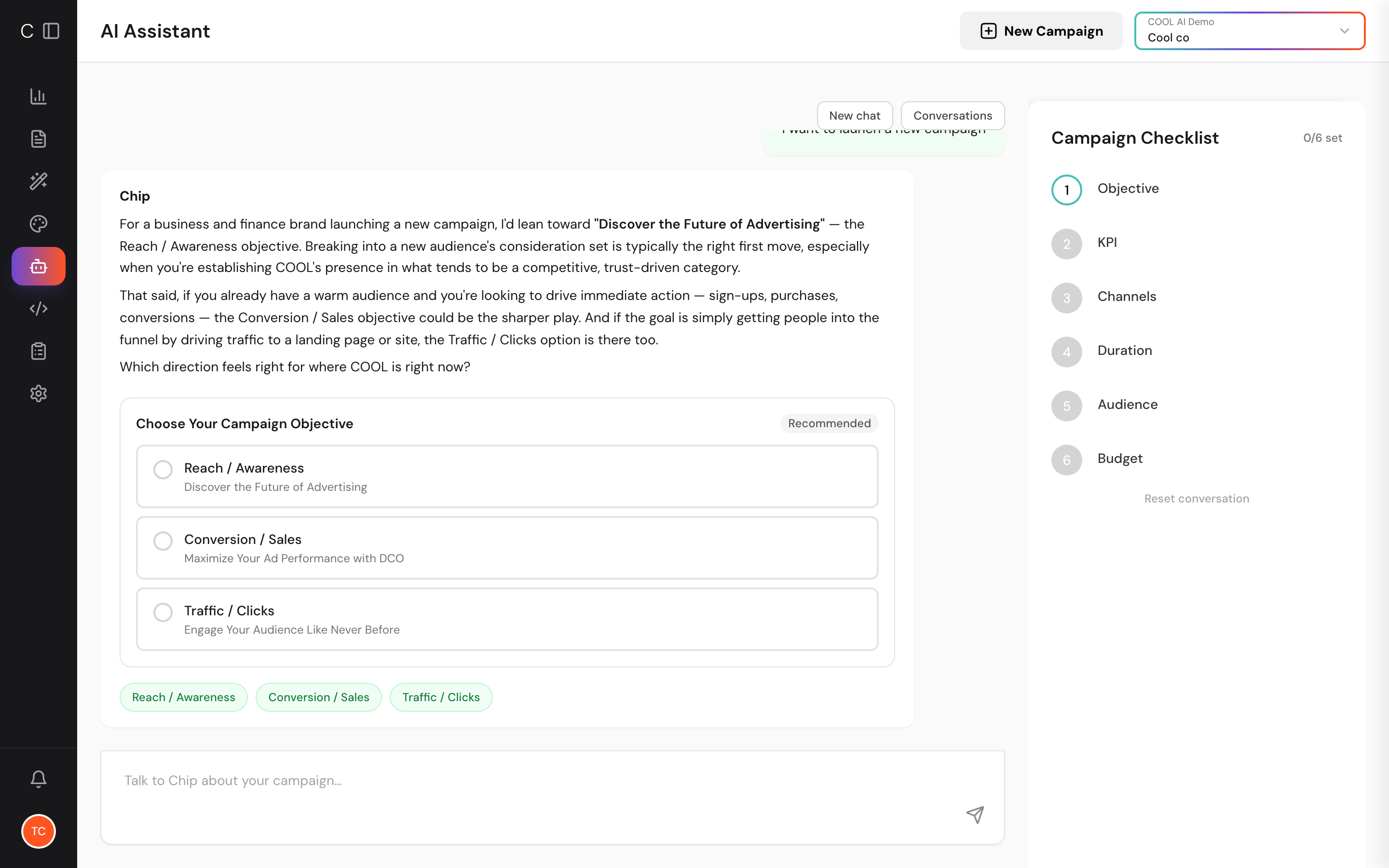
- Chip walks you through a short brief: objective, KPI, channels, duration, audience, and budget.
Accept its recommendations or change any step. - When the checklist is complete, choose Generate creatives.
Option B: Recommended campaign
- Choose Recommend / Quick Start. COOLAI builds a complete campaign for your brand and fills in
the objective, channels, audience, and budget for you to review.
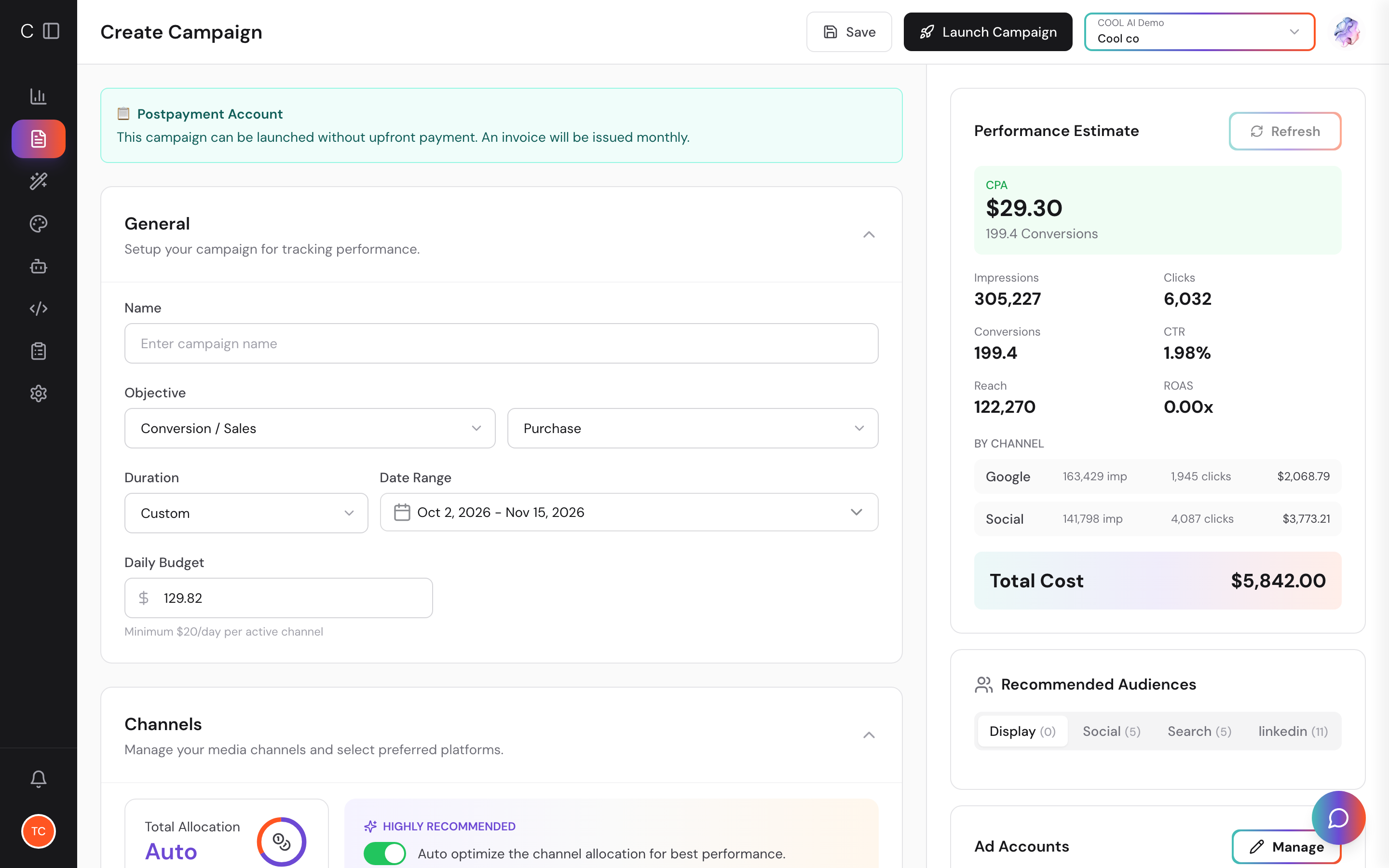
- Adjust anything you want, then submit to start generation.
Option C: Upload a brief
- Choose Upload Brief and add a PDF, Word doc, CSV, or spreadsheet.
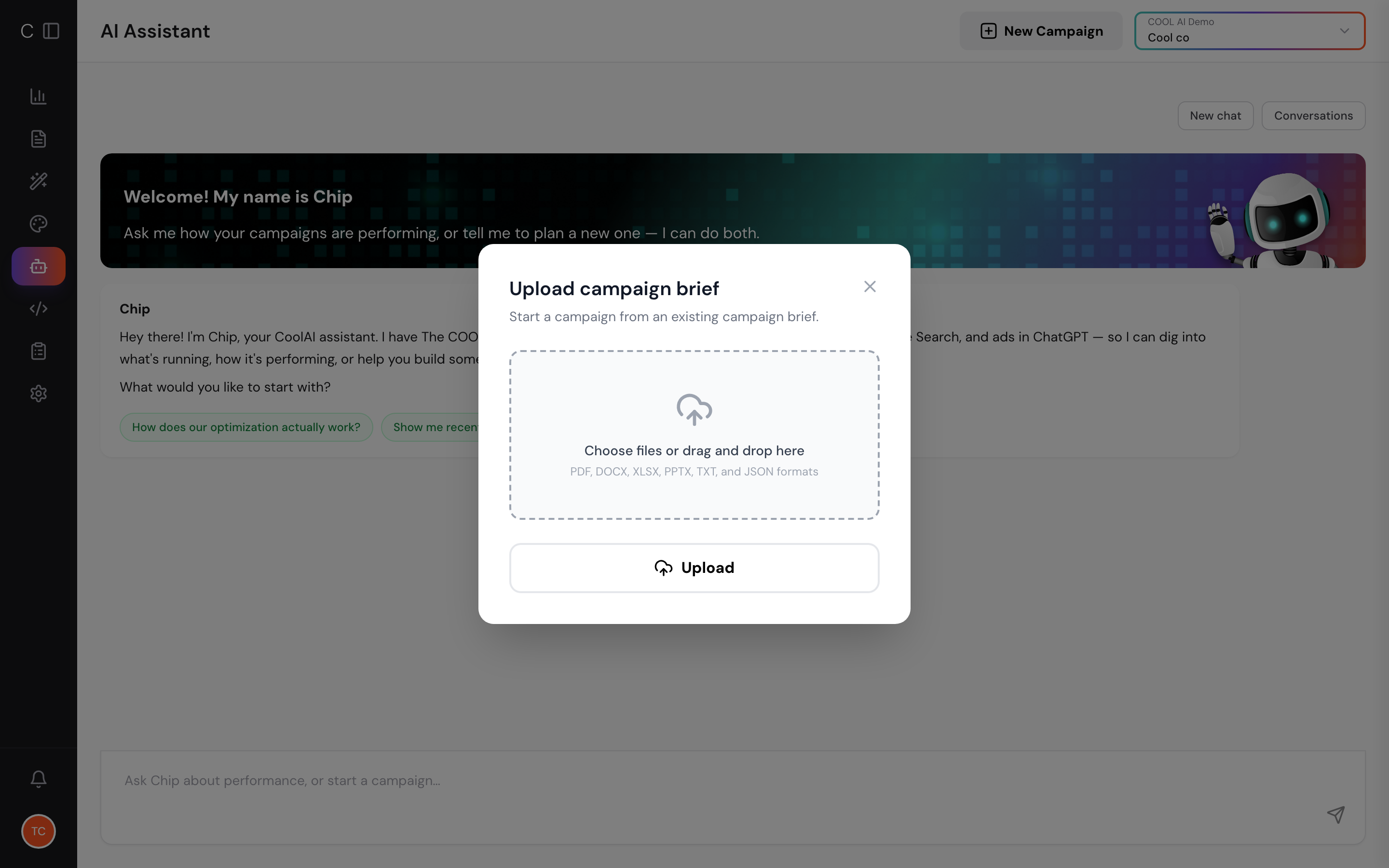
- COOLAI reads the document and pre-fills the campaign form (objective, audience, keywords, and
budget). Review and submit.
While it generates
Generation runs in the background. You'll see progress and get a notification when the set is
ready. Your new creatives then appear in the Creatives library.
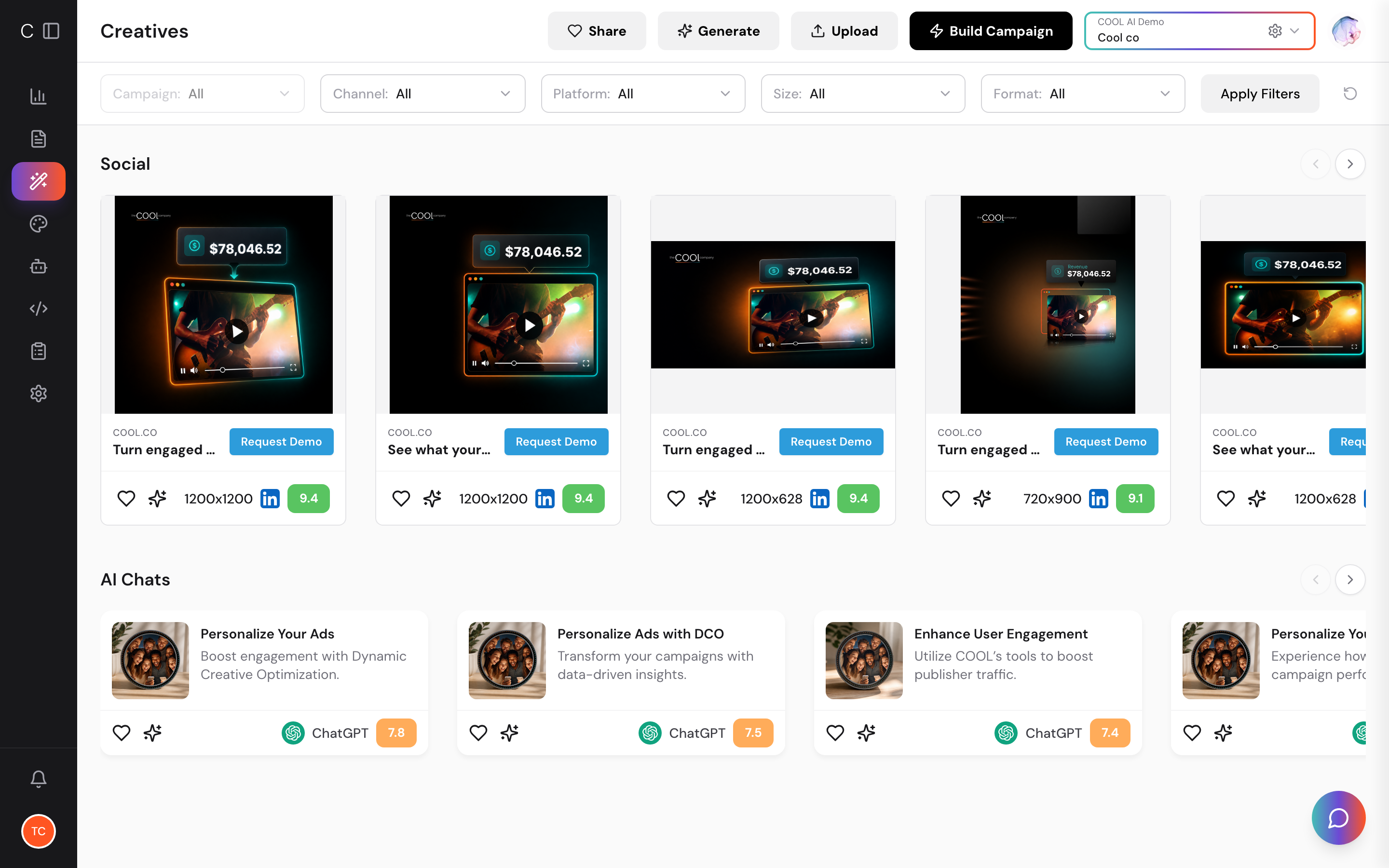
Each creative shows its preview, copy, target platform, format and size, and a quality score.
TipTo fix just a few creatives, you don't need to regenerate the whole set. Select the ones you
want and regenerate only those. See Review & edit.
What's next
Updated about 2 months ago