

Managing campaigns
Pause, resume, edit, and monitor your campaigns after they're live.
After a campaign is live, the Campaigns list is your control center. Check status at a glance,
pause or resume delivery, and make changes. Campaigns you created in COOLAI and ones you
imported are managed the same way here.
Before you beginYou need an Admin or Super Admin role to change live campaigns. Make sure the right
brand is selected.
Monitor status
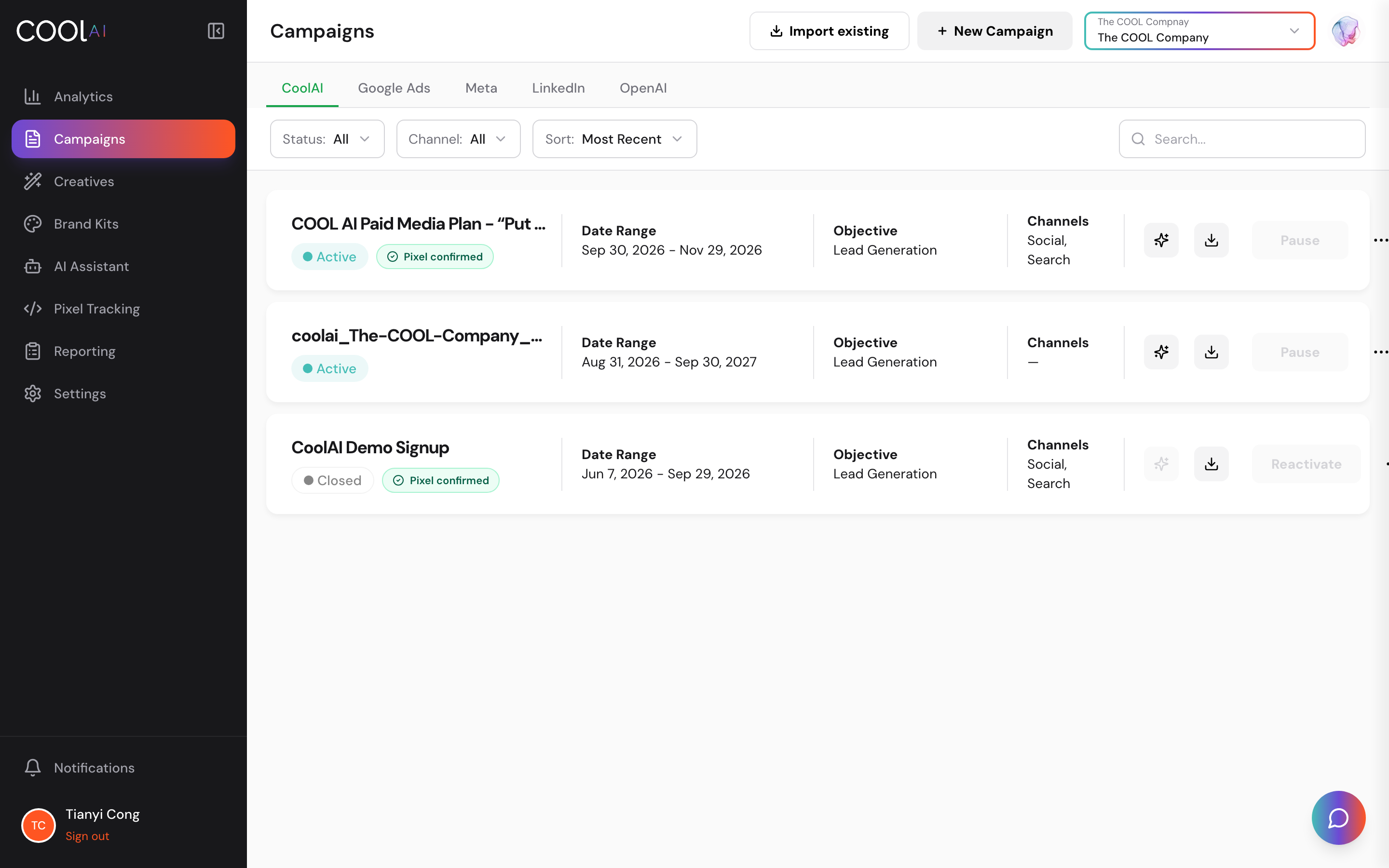
The list groups campaigns by platform (CoolAI, Google Ads, Meta, LinkedIn) and shows each one's
status:
- Draft: set up but not launched
- Active: live and delivering
- Paused: temporarily stopped
- Completed: past its flight dates
Use the platform tabs and status filter to find what you need.
Common actions
- Pause / resume: stop or restart delivery without losing the setup.
- Edit: adjust budget, targeting, or creatives. Some changes redeploy to the
platform, so they take a moment to take effect. - Duplicate: reuse an existing campaign's setup as the starting point for a new one.
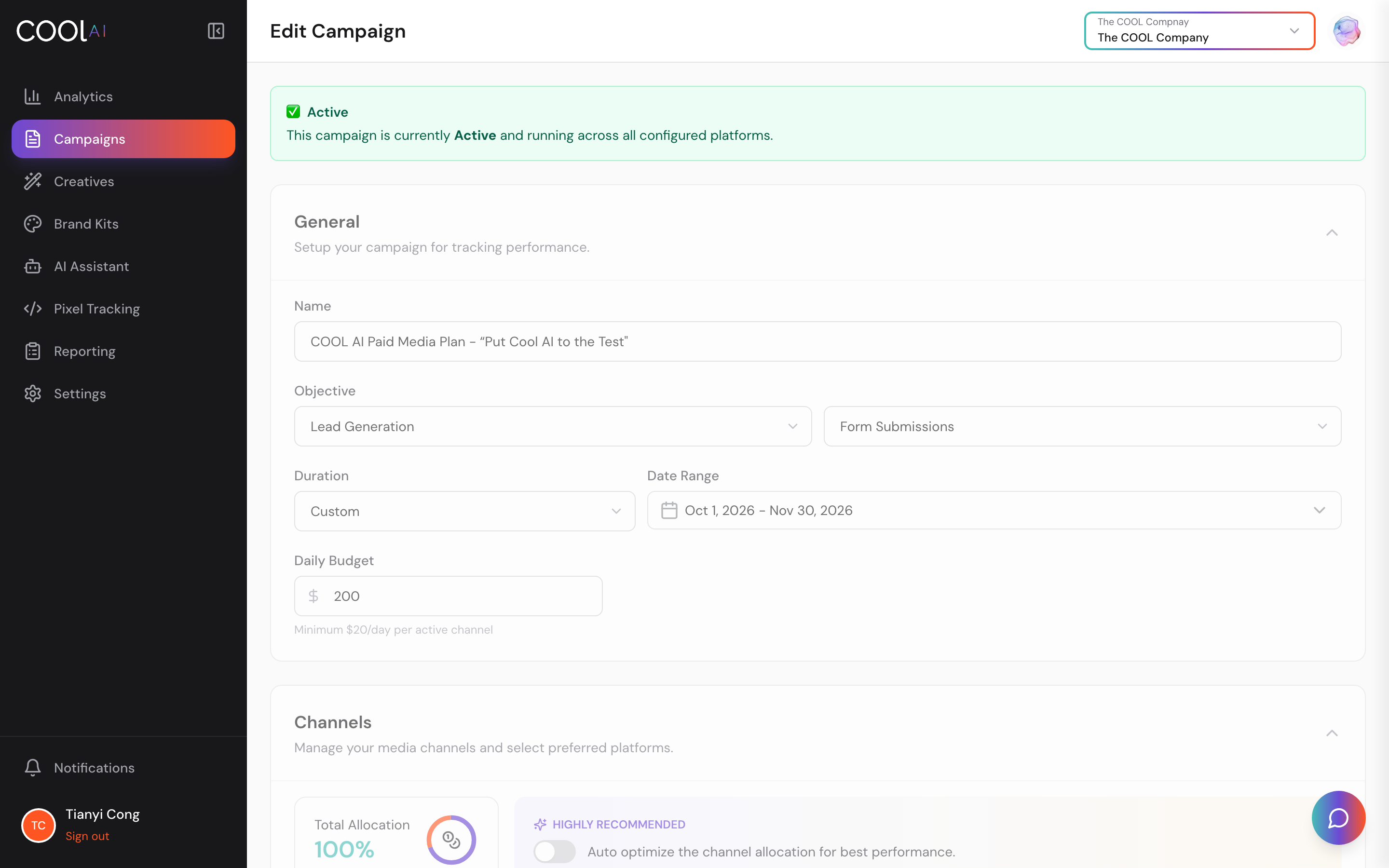
Watch outEditing budget or targeting on a live campaign changes delivery on the ad platform right
away. Review the summary before you save, and give the platform time to re-optimize after a change.
TipDon't judge a change by the first few hours. Delivery re-stabilizes after edits, so check back
in a day and use Analytics or Chip to compare.
What's next
Updated about 1 month ago