

Creating a campaign
Set up a campaign step by step: objective, channels, audience, budget, and creatives.
Create a campaign by filling in a few sections, from objective to creatives. You can chat with
Chip, start from a recommended campaign, or upload a brief.
Before you beginYou need a brand kit and, ideally, a creative set.
To launch later you'll also need connected ad accounts.
Step 1: Start a campaign
On Campaigns, click New, or Upload Brief to start from a document. For a guided setup,
open AI Assistant and let Chip set it up.
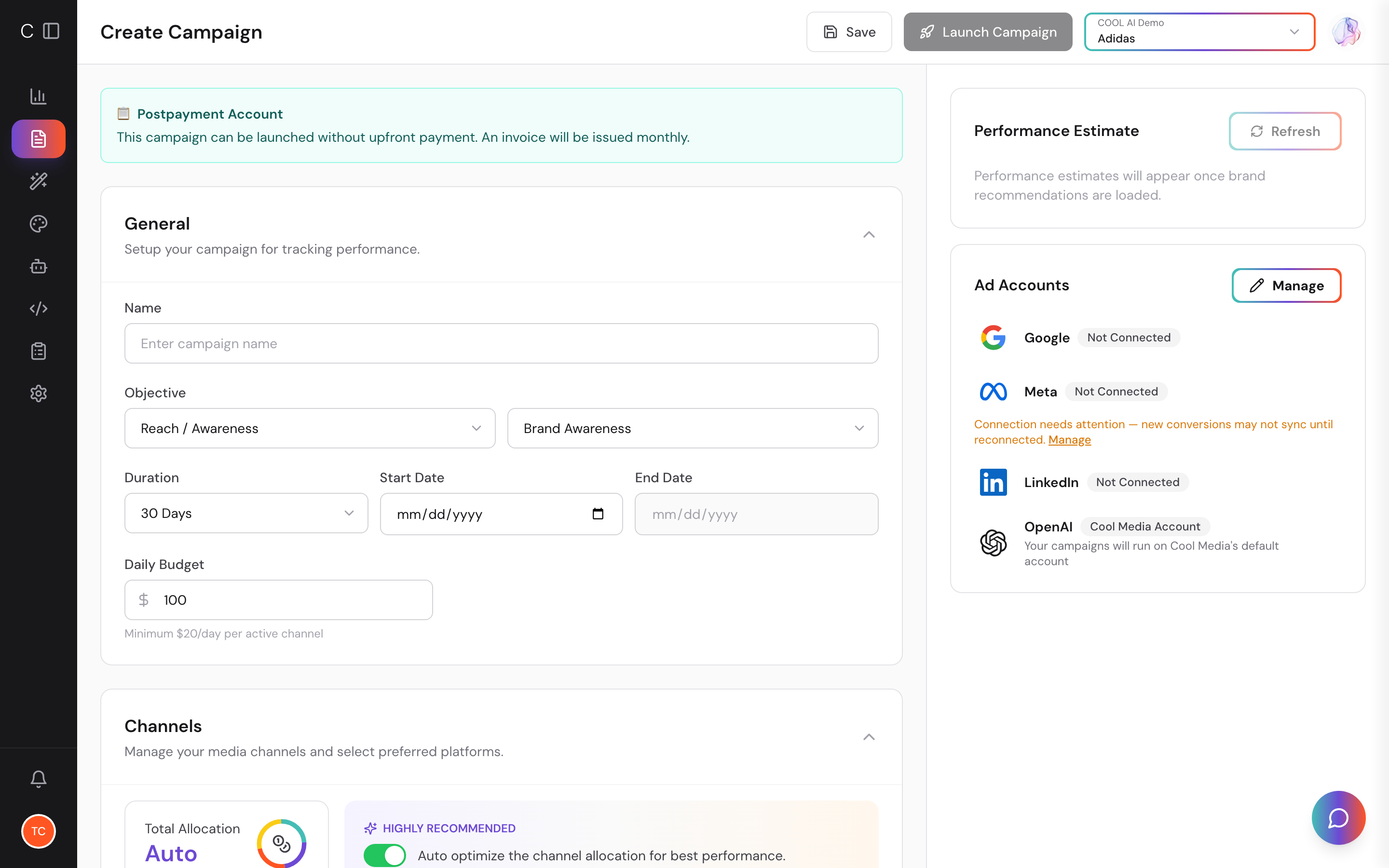
Step 2: Set the basics
In General, enter the campaign name, objective, and flight dates.
Step 3: Choose channels
In Channels, pick Display, Search, and/or Social, and set how budget splits across them.
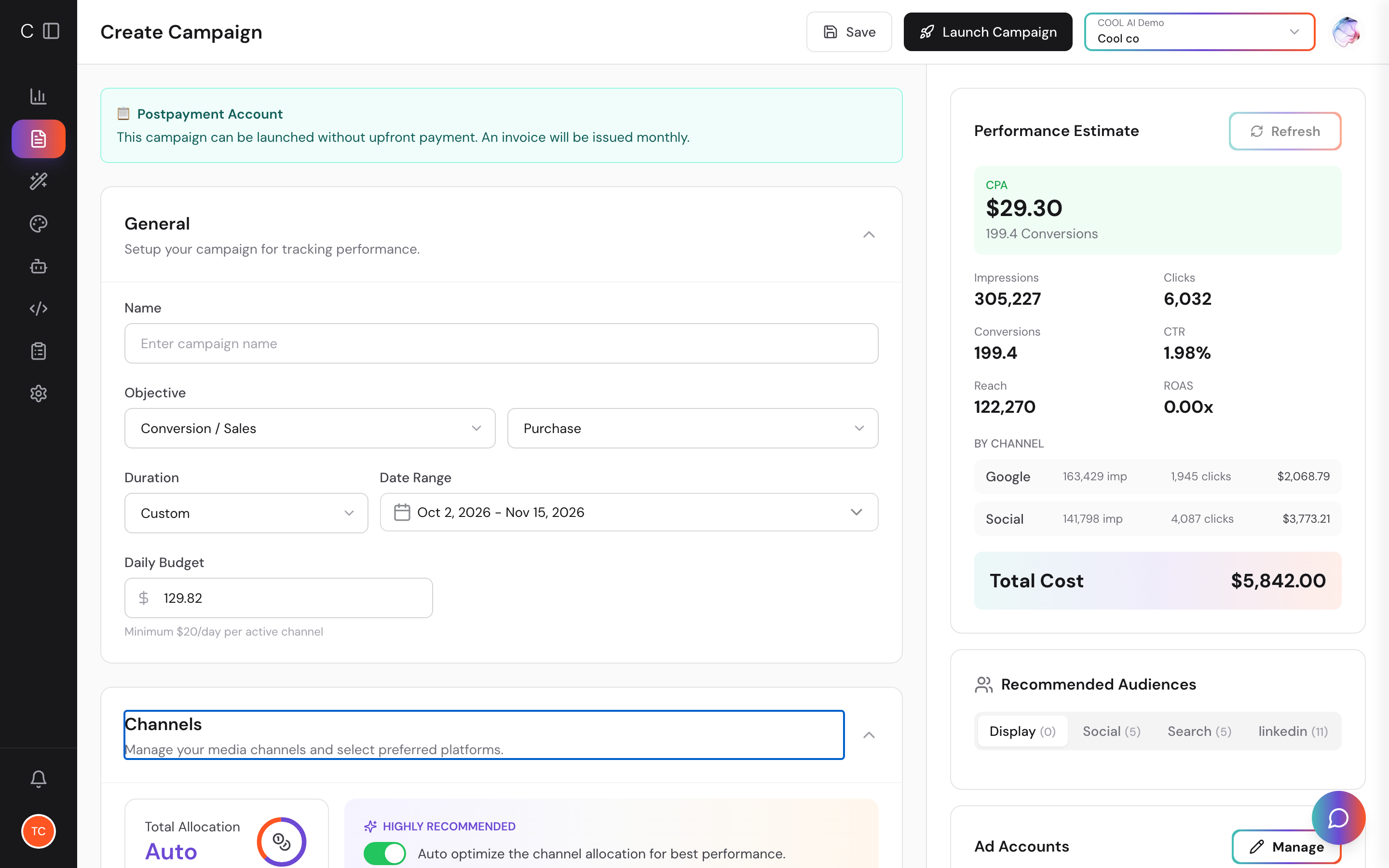
Step 4: Add targeting
Define your audience in the Audience section. See Audience targeting.
Step 5: Attach creatives
In Creatives, pick from your library or generate new ones. Preview how each will look with
Preview.
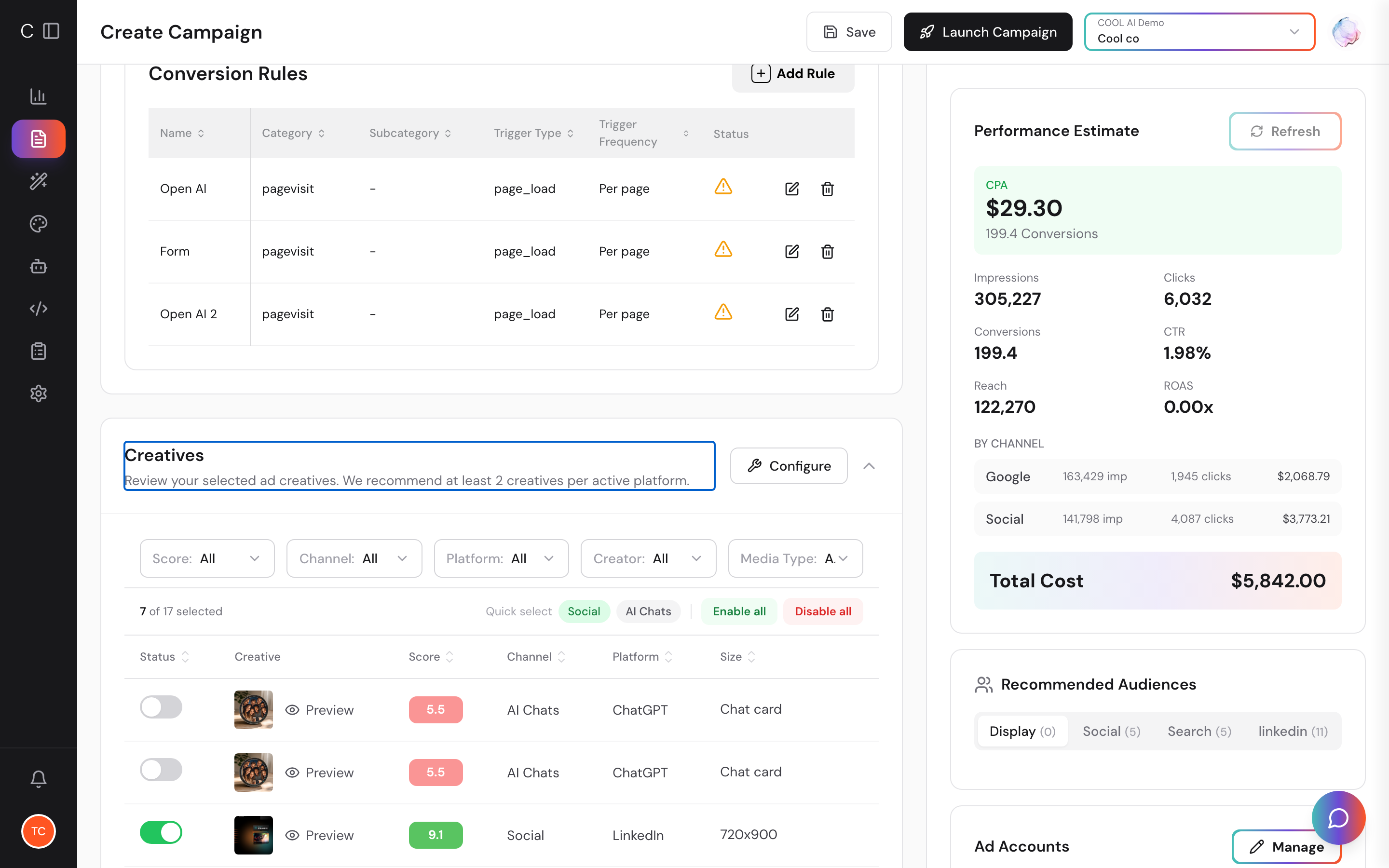
Step 6: Review the estimate
COOLAI shows a performance estimate (projected reach, frequency, and cost) based on your setup.
What's next
Updated about 2 months ago