
Connecting ad accounts
Link your Google, Meta, LinkedIn, and Adform accounts so COOLAI can launch campaigns for you.
To launch and manage campaigns, COOLAI needs permission to act on your advertising accounts. You
connect each platform once through a secure sign-in (OAuth). COOLAI never sees or stores your
password, only a revocable access token.
Before you beginYou need admin access to the ad account on each platform you connect: Google Ads, Meta
Business, LinkedIn Campaign Manager, or Adform. If you manage ads through an agency, make sure
you're using the account that owns the campaigns.
Steps
- Go to Settings ▸ Connected Accounts. You'll see each supported platform with its current
status.
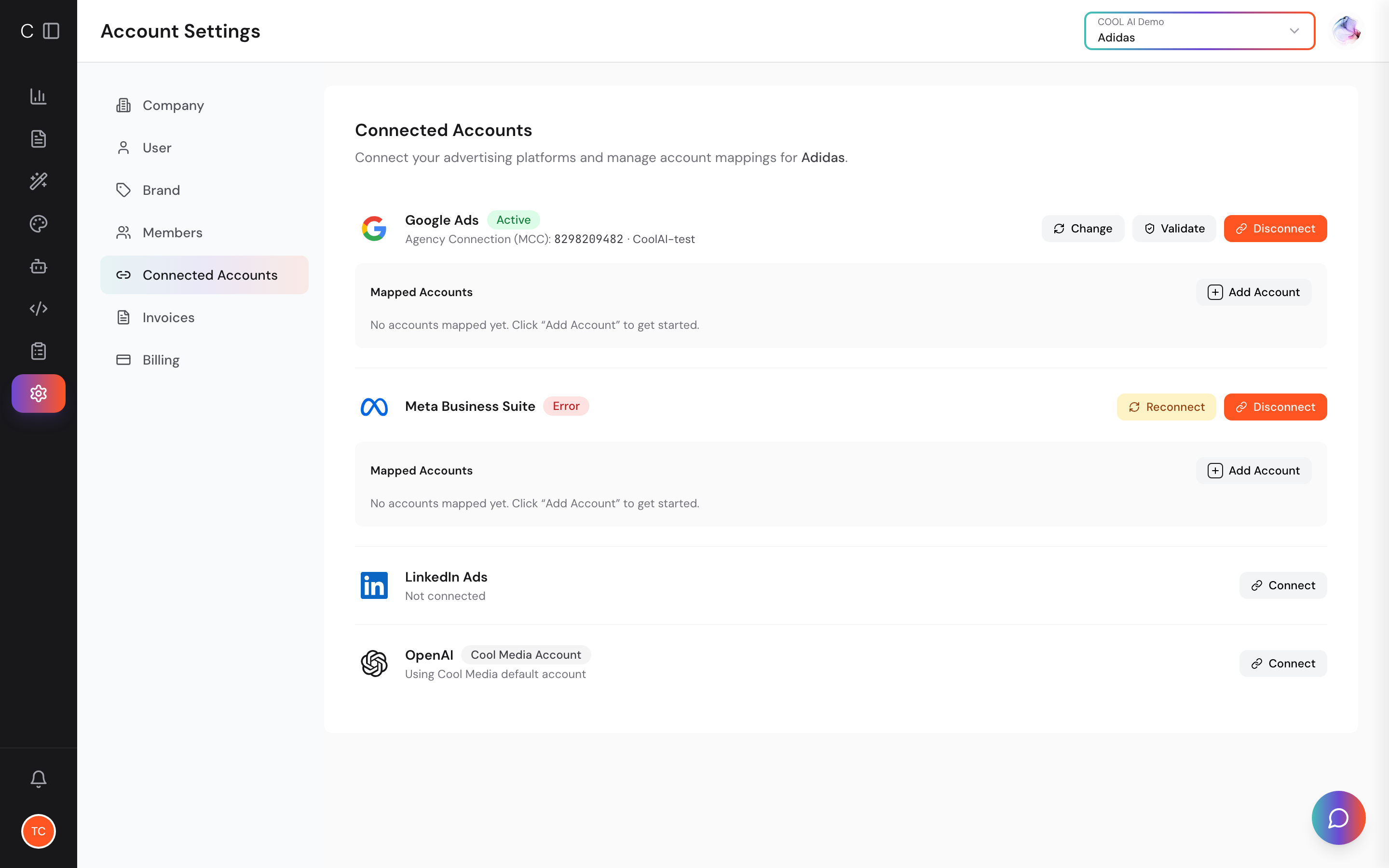
- Click Connect next to a platform. A secure sign-in window opens.
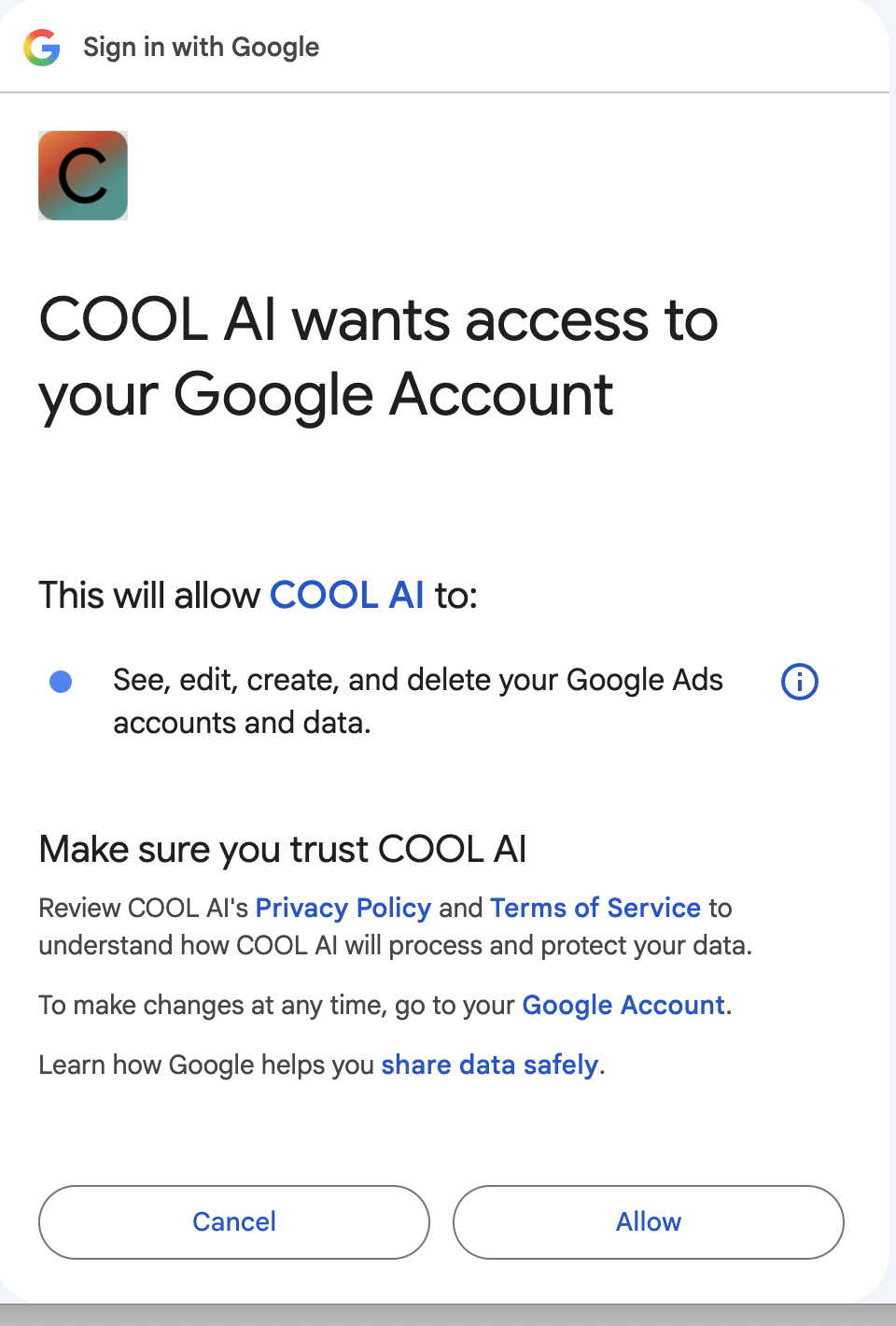
- Sign in on the platform and approve the requested permissions. The window closes and the
platform shows as Connected. - Repeat for each platform you plan to advertise on.
Connected accounts are available when you launch a campaign and when you
import existing campaigns.
Watch outIf a connection expires or is revoked on the platform side, campaigns to that platform pause
until you reconnect. If a campaign unexpectedly stops delivering, check this page first and
Reconnect.
What's next
Updated about 1 month ago